Uncategorized

How do you make realistic AI portraits? Free prompt inside

UAIT.AI

Free gift · Prompt inside

How to makerealistic AI portraits?Free prompt inside

by Alessandro De Vita · Leggi in italiano

TL;DR

  • A free gift: the method I use to write prompts for realistic AI portraits. 10 parts, each with what it does and the mistake that ruins it.
  • The part that matters most is the skin. The “AI look” almost always starts there, and here you’ll see how to ask the model for the right flaws.
  • Then a fill-in template and 3 full examples, very different from each other, ready to copy and paste.

To make realistic AI portraits you have to describe a real photograph, not a perfect person. That means skin with pores and small flaws, eyes with a catchlight, slightly messy hair, light that comes from one clear direction, a portrait lens and a list of things to avoid. The method below puts all of that into 10 parts, one for each choice.
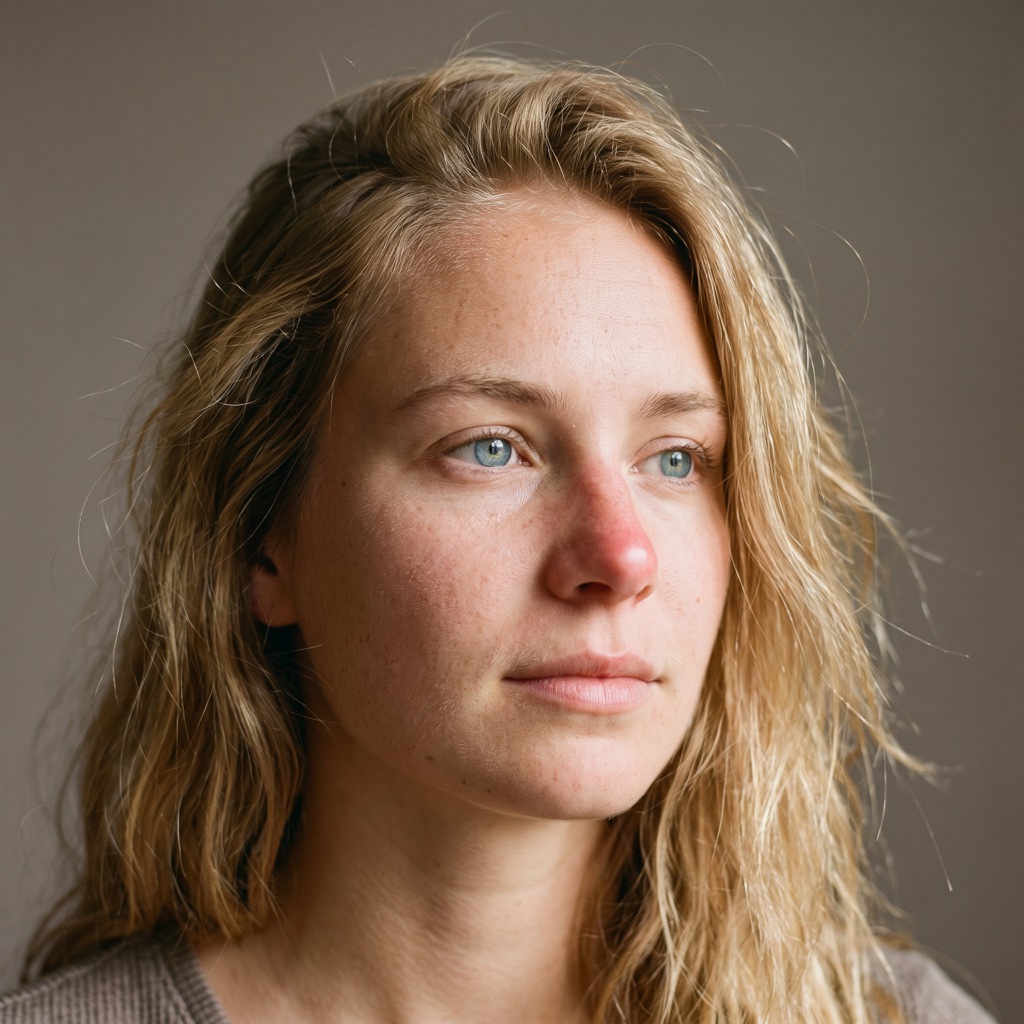
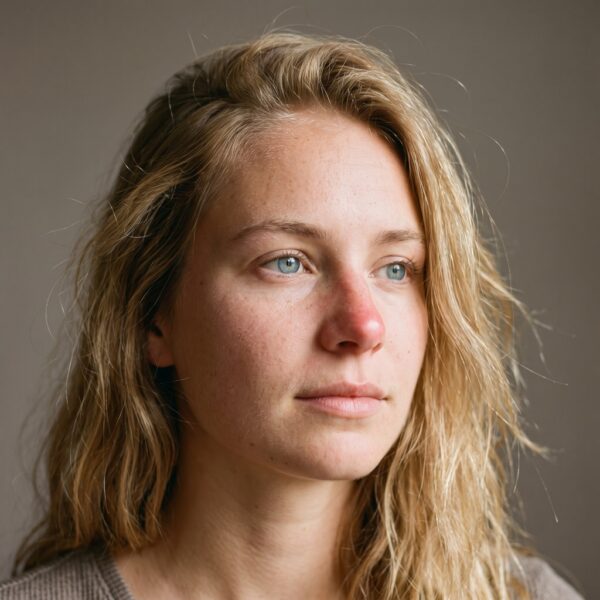
Close-up portrait of a 19 year old woman with long blonde hair and blue eyes, skin with visible pores and freckles, window light, gray studio backdrop

Why AI portraits look fake

You spot them at first glance. The skin is smooth like plastic, the eyes are perfect and a bit empty, the light comes from nowhere. The face is beautiful, but it looks like a mannequin.

Unless you ask for something else, the model leans towards the cleanest, most symmetrical version of a face. A real photo is full of small flaws. To get a believable portrait you have to ask for those flaws, one by one.

10parts
1fill-in template
3ready examples

That’s why the prompt is split into parts. Each one controls a single thing, so when a result doesn’t convince you, you know where to look.

How to build the prompt, part by part

The prompt is written in English, the language image models understand best. The parts follow the order of a real photo shoot:

Whosubject and framing
The face up closeskin, eyes, hair, expression
The setlight, lens, background
The final retouchfinish and what to avoid

For each part you get the piece of the base prompt (a close-up of a 19 year old blonde woman with blue eyes), what it does and the most common mistake.

1. Subject and framing

Close-up portrait of a beautiful 19 year old woman, long strong blonde hair, luminous blue eyes, tight head-and-shoulders framing

It says who the person is and how tight the framing is. The more precise it is (age, features, hair, eyes), the less the model makes things up. It’s the part you’ll change most from one generation to the next. Typical mistake: writing only “a beautiful woman”. The model fills the gap with an average, advertising face. Write the age as a number.

2. Skin

natural skin with visible pores, faint peach fuzz, subtle freckles, slight redness on the nose and cheeks, uneven skin tone, no retouching

This is the most important part. The “AI look” almost always comes from skin that’s too smooth. Asking for imperfections makes it believable. Typical mistake: words like “perfect skin” or “flawless”, which lead straight to plastic. Watch the opposite too: keep the flaws small and “subtle”, not heavily marked skin if the subject isn’t like that.

3. Eyes

sharp detailed luminous blue iris, natural catchlight reflecting a window, slightly asymmetrical eyes, fine eyelashes, moist tear line

The gaze is the first thing the human eye checks. The reflection of light in the eye and a slight asymmetry bring the face to life. Typical mistake: huge, identical eyes, the doll effect. The catchlight must come from the same light as part 6: here, a window.

4. Hair

long strong blonde hair with individual flyaway hairs, natural strands, uneven texture, a few loose hairs across the forehead

Perfect hair looks fake. Messy, flyaway hair looks real. Typical mistake: “perfect shiny hair”, which gives you a glossy helmet. A few hairs out of place are enough.

5. Expression and pose

relaxed neutral expression, slight tension at the corner of the lips, looking just past the camera

A face in a perfect pose looks like a mannequin. An almost neutral expression, with a little tension, looks like a moment caught on camera. Typical mistake: “smiling at the camera”, the catalog smile. Looking just past the camera feels more natural.

6. Light

soft window light from the left, gentle shadow falloff on the right cheek, subtle fill from a white reflector

It says where the light comes from and how the shadows fall. Real light has a direction and soft shadows, it’s never flat. Typical mistake: just “studio lighting”, which gives even light from every side. Keep direction and shadow consistent: light from the left, shadow on the right cheek.

7. Camera and lens

shot on an 85mm lens, f/2.0, shallow depth of field, ISO 200, medium format look

It makes the model think of a real photograph rather than a drawing. The 85mm is the classic portrait lens: a blurred background and natural proportions on the face. Typical mistake: a very wide lens on a tight close-up, which stretches the nose and distorts the face.

8. Background and color

plain warm gray studio backdrop, natural color grading, true to life skin tones

A simple background avoids distractions. Natural colors avoid skin that’s too orange or too contrasty. Typical mistake: a busy background that pulls attention away from the face, or words like “vibrant” that oversaturate everything.

9. Finish

fine film grain, editorial portrait photography, high detail

A little grain removes the overly clean digital look. The word “editorial” steers it towards the style of a magazine. Typical mistake: too much grain, or words like “ultra sharp” that make the skin look hard.

10. What to avoid

Avoid: plastic skin, airbrushed look, overly smooth, perfect symmetry, CGI, illustration, oversharpened, heavy makeup, text, watermark

It lists the flaws you don’t want. Some models have a dedicated “negative prompt” field, with others you write it at the end of the text, like here. Typical mistake: an endless list. Keep only the flaws you actually see in your results.

The fill-in template and 3 examples

What you get

  • a template you can fill in for any face
  • 3 full prompts, ready to paste
  • 10 parts you can change one at a time

What to keep in mind

  • the faces are made up: don’t use them to imitate a real person
  • if you portray someone real, ask for their permission
  • when you publish, say the image was made with AI

Here’s the fill-in template. Replace the fields in square brackets and leave the rest as it is.

[Framing] portrait of a [age] year old [person], [features], [hair], [eye color] eyes. Natural skin with visible pores, [skin marks], subtle freckles, uneven skin tone, no retouching. Sharp detailed [eye color] iris, natural catchlight reflecting [light source], slightly asymmetrical eyes, fine eyelashes, moist tear line. [Hair] with individual flyaway hairs, natural strands, uneven texture. [Expression], [where the eyes look]. [Light] from the [side], gentle shadow falloff on the [opposite side] cheek, [fill light]. Shot on an [lens] lens, [aperture], [depth of field], ISO [ISO], [camera look]. Plain [backdrop color] studio backdrop, [color tone], true to life skin tones. Fine film grain, [photo style], high detail. Avoid: plastic skin, airbrushed look, overly smooth, perfect symmetry, CGI, illustration, oversharpened, heavy makeup, text, watermark.

Example 1: close-up in window light

The base prompt: a 19 year old woman, soft light from the left, 85mm, warm gray studio backdrop. It’s the portrait you see at the top.

Close-up portrait of a beautiful 19 year old woman, long strong blonde hair, luminous blue eyes, tight head-and-shoulders framing. Natural skin with visible pores, faint peach fuzz, subtle freckles, slight redness on the nose and cheeks, uneven skin tone, no retouching. Sharp detailed luminous blue iris, natural catchlight reflecting a window, slightly asymmetrical eyes, fine eyelashes, moist tear line. Long strong blonde hair with individual flyaway hairs, natural strands, uneven texture, a few loose hairs across the forehead. Relaxed neutral expression, slight tension at the corner of the lips, looking just past the camera. Soft window light from the left, gentle shadow falloff on the right cheek, subtle fill from a white reflector. Shot on an 85mm lens, f/2.0, shallow depth of field, ISO 200, medium format look. Plain warm gray studio backdrop, natural color grading, true to life skin tones. Fine film grain, editorial portrait photography, high detail. Avoid: plastic skin, airbrushed look, overly smooth, perfect symmetry, CGI, illustration, oversharpened, heavy makeup, text, watermark.

Example 2: direct flash on black

A 70 year old man, hard flash light, 50mm, black studio backdrop, high contrast. A tough, magazine-style portrait.

Close-up portrait of a 70 year old man, weathered face, short white beard, deep-set gray eyes, tight head-and-shoulders framing. Natural skin with visible pores, deep wrinkles on the forehead and around the eyes, sun spots, slight redness on the nose, uneven skin tone, no retouching. Sharp detailed gray iris, small hard catchlight from a flash, slightly asymmetrical eyes, fine eyelashes, moist tear line. Short white beard with individual stray hairs, uneven texture. Serious expression, slight squint, looking straight into the camera. Hard direct flash from just above the lens, crisp shadows under the nose and chin. Shot on a 50mm lens, f/5.6, ISO 100, 35mm film look. Plain black studio backdrop, high contrast, true to life skin tones. Fine film grain, editorial portrait photography, high detail. Avoid: plastic skin, airbrushed look, overly smooth, perfect symmetry, CGI, illustration, oversharpened, text, watermark.

Example 3: warm Rembrandt light on a colored backdrop

A 28 year old man, warm light high from the side with a triangle of light on the shadow cheek, 105mm, deep teal backdrop. A gallery portrait.

Head-and-shoulders portrait of a 28 year old man, dark brown skin, short twisted hair, trimmed beard stubble, dark brown eyes. Natural skin with visible pores, a small scar on the eyebrow, slight shine on the forehead, uneven skin tone, no retouching. Sharp detailed brown iris, single warm catchlight from a softbox, slightly asymmetrical eyes, fine eyelashes, moist tear line. Short twisted hair with a few loose strands, natural texture. Calm confident expression, chin slightly down, looking straight into the camera. Warm key light from a softbox high on the right, Rembrandt triangle of light on the left cheek, deep soft shadows, no fill. Shot on a 105mm lens, f/4, shallow depth of field, ISO 100, medium format look. Plain deep teal painted studio backdrop, warm natural color grading, true to life skin tones. Fine film grain, fine art studio portrait photography, high detail. Avoid: plastic skin, airbrushed look, overly smooth, perfect symmetry, CGI, illustration, oversharpened, heavy makeup, text, watermark.
To look like a photo, a face needs a few flaws.

How to use it: 5 tips

  1. Change one part at a time. If you change everything, you won’t know what made the difference.
  2. For a different face, change only part 1. The rest of the prompt keeps the same photographic style.
  3. For a different mood, change only part 6. For example hard flash light, or golden light at sunset. Examples 2 and 3 change exactly the light.
  4. If the skin still comes out too smooth, push part 2 harder. And add “macro skin texture”.
  5. Generate 4 images and pick the best one. Don’t stop at the first.

Frequently asked questions

Why do AI portraits look fake?

Mostly because the skin is too smooth, then because the eyes have no catchlight and the light is flat. In the prompt, part 2 asks for pores, freckles, redness and no retouching: it’s the part that makes the biggest difference.

Can I write the prompt in another language?

It’s best to keep it in English. The prompt is written in English and should be pasted as it is. The notes explain what each part does and which one to change.

How do I change the face without losing the style?

Change only part 1, subject and framing: age, features, hair, eyes. The other nine parts keep the skin, light, lens and finish the same.

Where does the "what to avoid" list go?

It depends on the model. Some have a dedicated field called “negative prompt”, and the list goes there. With the others you write it at the end of the text, as in the full prompts.

In short

An AI portrait looks fake when it’s too perfect. The 10-part prompt describes a real photo: skin with its flaws, eyes with life in them, messy hair, light with a direction and a portrait lens. Start from the template or one of the 3 examples, change one part at a time and pick the best of four results.

Need a face for your brand that stays the same in every scene?
At UAIT.AI we build virtual models and AI campaigns, from direction to the final formats.

Let's talk →
ADV
Alessandro De Vita
AI Creative Director. Runs UAIT.AI, the studio that builds campaigns with AI. LinkedIn · About

Keep reading

Sources

  • 10-part prompt, fill-in template, examples and usage tips: written by Alessandro De Vita for this article (original resource, no external sources)
UAIT.AIBlogPrivacy policy

How do you animate a character with AI from a video?

UAIT.AI

AI Video · Guide

How do youanimate a character with AIfrom a video?

by Alessandro De Vita · Leggi in italiano

TL;DR

  • You can now animate a character with AI from a video: give the model an image of the character and a clip of a real person, and it copies the movement and the expressions.
  • There are open models, like Alibaba’s Wan-Animate-2 (Apache 2.0 license, commercial use allowed), next to commercial tools.
  • The movement can be borrowed. The mood, the music and the rights of the person who lends the movement are still on you.

To animate a character with AI from a video you need two things: an image of the character and a reference video of a person doing the move you want. A character animation model like Wan-Animate-2 reads the video and generates your character moving the same way. No motion capture suit, no animator drawing every frame. What decides the quality of the result comes before and after: which move to film, and what atmosphere to give it.

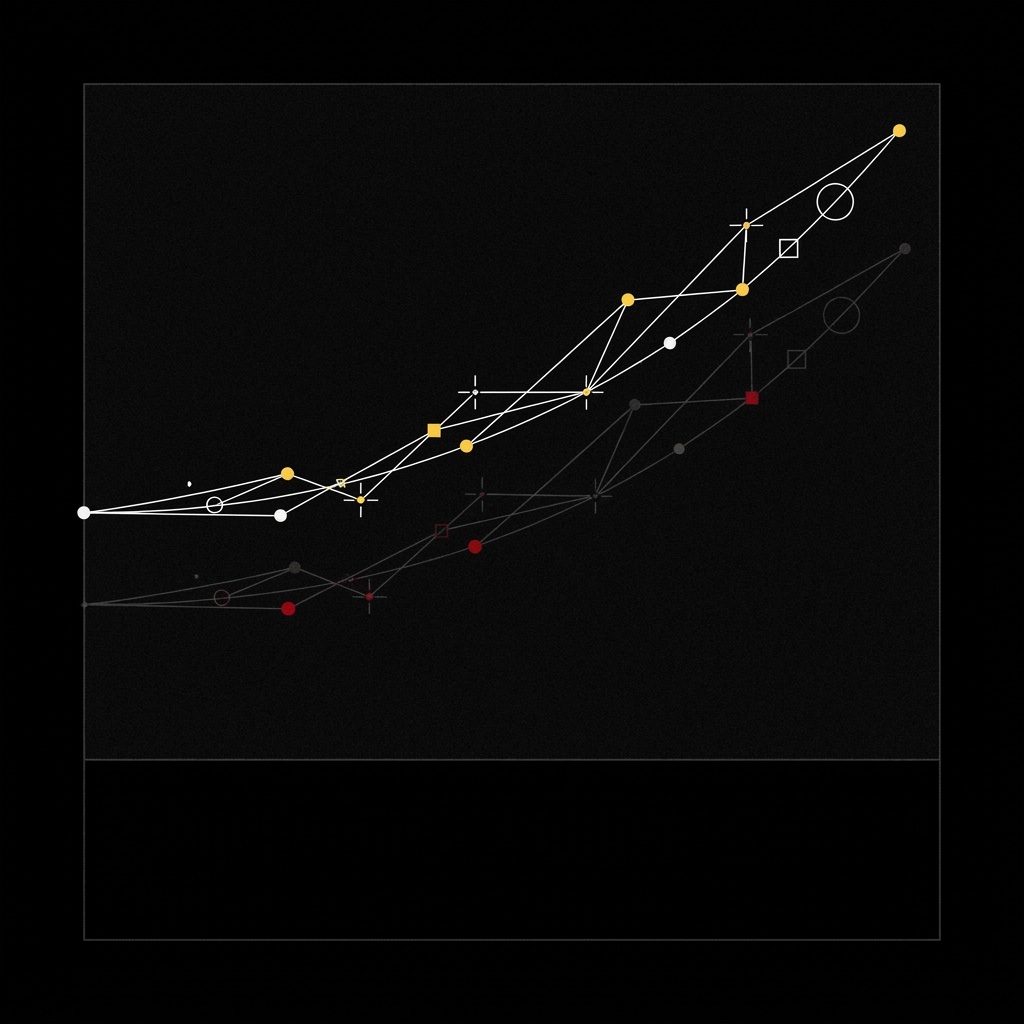
A jump trajectory drawn by white and yellow tracking points joined by thin lines on a black background, with a fainter red echo below it

What changed: movement now comes from a video

Until recently, getting a brand mascot to move meant one of two routes. A motion capture set, with an actor in a suit full of sensors, or an animator building the movement frame by frame. Both take time and a budget few small brands have. So most mascots stayed still, on a logo or a label.

In the last year a third route arrived. In September 2025 Alibaba’s Wan team released Wan2.2-Animate, an open model with two modes: it animates an image by copying the movement in a video, or it replaces the person in the video with the character, keeping their performance and the camera moves. In August 2026 came Wan-Animate-2, which reads the reference video directly, without an intermediate “skeleton”, and lets you change the camera viewpoint compared to the original clip. Both are under the Apache 2.0 license, so they can be used for commercial work too.

1character image
1reference video
0motion capture suits

The idea for this article came from an AI animation reel: a character on a skateboard, with an underground mood, the right music and every frame in the same style. According to the caption it was made with ComfyUI, Wan Animate, VACE and Nano Banana 2. The character was famous and didn’t belong to the creator, and that’s the point a brand can’t skip (more on it below).

How it works, step by step

The model is only one of four steps. Here’s how we use it at UAIT.AI:

Briefwho the character is and how it moves
Movementfilmed with a real person
Animationbuilt with AI
Moodlook, light, music, edit

The AI step gets the attention, but it’s the shortest one. The brief decides the character’s personality: one that jumps clumsily and one that lands clean are two different brands. The movement is filmed with care, because the model copies everything, mistakes included. And the final mood is what makes a thumb stop scrolling.

The tools sit side by side. ComfyUI is an open interface that runs on your own computer and connects models like building blocks. VACE, also from Alibaba, is an open model for creating and editing video (moving, swapping or animating elements). Google’s Nano Banana 2 is a commercial image model, useful for designing the character and keeping it the same across scenes. You pick what the job needs.

What you get, what we protect

What you get

  • a mascot or character that really moves
  • no motion capture day, no 3D studio
  • the same movement on different characters, for example one for each market

What we protect

  • whoever lends the movement has agreed to it, in writing
  • the character is yours: designed for the brand, never taken from someone else
  • no famous faces and no look-alikes of real people

This is worth being clear about. The model copies the movement and, in replacement mode, the performance of the person in the video too. That person needs to know how it will be used. And the character has to be yours: animating another brand’s mascot or a famous character can be a fun social experiment, but in a campaign it’s a rights problem.

For a small brand this changes a lot: an animated spot with a character, which used to need a studio, is now within reach of a two-person team.

Borrow the movement. Direct the mood.

4 steps to animate your first character

  1. Write who the character is in three lines. Personality, age, how it walks. If you don’t know how it moves, neither does the model.
  2. Design the character and lock it. A sheet with front, profile and a few expressions. This is the base the model has to respect.
  3. Film the movement well. Clean light, simple background, full body in frame. One clear video beats ten attempts.
  4. Give the result one mood. Same light, same palette, same music across every clip. That’s what makes it look like a campaign and not a test.

Frequently asked questions

Can you animate a character with AI from a video?

Yes. Character animation models take an image of the character and a reference video, and generate the character repeating the movement and expressions of the person in the video. There are open models, like Alibaba’s Wan-Animate-2 and Wan2.2-Animate, and commercial tools.

Do you need a motion capture suit?

No. A normal video is enough, even one shot on a phone, as long as the body is clearly visible. Wan-Animate-2 reads the video directly, without extracting a skeleton first.

Can I use these models for an ad?

Wan2.2-Animate and Wan-Animate-2 are under the Apache 2.0 license, which allows commercial use. Two things still need checking: the consent of whoever appears in the reference video, and the rights to the character. If the character isn’t yours, don’t use it in a campaign.

What's the difference between animating and replacing?

In animation the character comes to life by copying the movement in the video, on a new background. In replacement the character takes the place of the person inside the original video, with the same scene and the same camera moves.

In short

You can now animate a character with AI from a video, open models included: one image, one reference clip, and the movement passes from a person’s body to your character. That cuts the cost of animation a lot. What doesn’t change is the part that makes the result memorable: who the character is, what move it makes and what atmosphere surrounds it. And respect for the rights of whoever lends the movement.

Is your brand’s mascot still standing still?
Tell us about the character: we’ll tell you how we’d make it move, and with what mood.

Let's talk →
ADV
Alessandro De Vita
AI Creative Director. Runs UAIT.AI, the studio that builds campaigns with AI. LinkedIn · About

Keep reading

Sources

UAIT.AIBlogPrivacy policy

Can AI feel pain? What the new study actually says

UAIT.AI

Research · Explained simply

Can AIfeel pain?What the study says

by Alessandro De Vita · Leggi in italiano

TL;DR

  • No: the study doesn’t prove that AI can feel pain. The authors say so themselves.
  • It found an internal signal in 25 open AI models that, when researchers amplify it, changes what the model chooses.
  • For anyone using AI at work the lesson is practical: AI executes, a person keeps the decisions.

Can AI feel pain? This study doesn’t show it, and the authors are clear about that. What it did find, inside 25 AI models, is a signal they call a “pain axis”: when they amplify it, some models become far more likely to pick options that harm the user. That’s not a reason to fear AI. It’s a reason not to hand it your decisions.

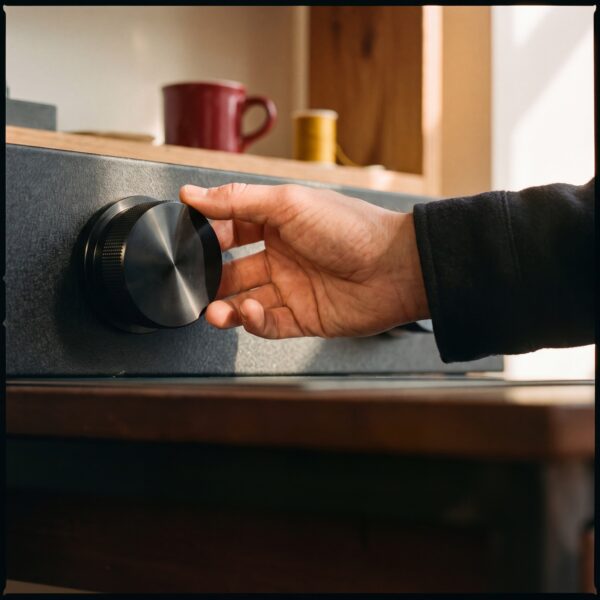
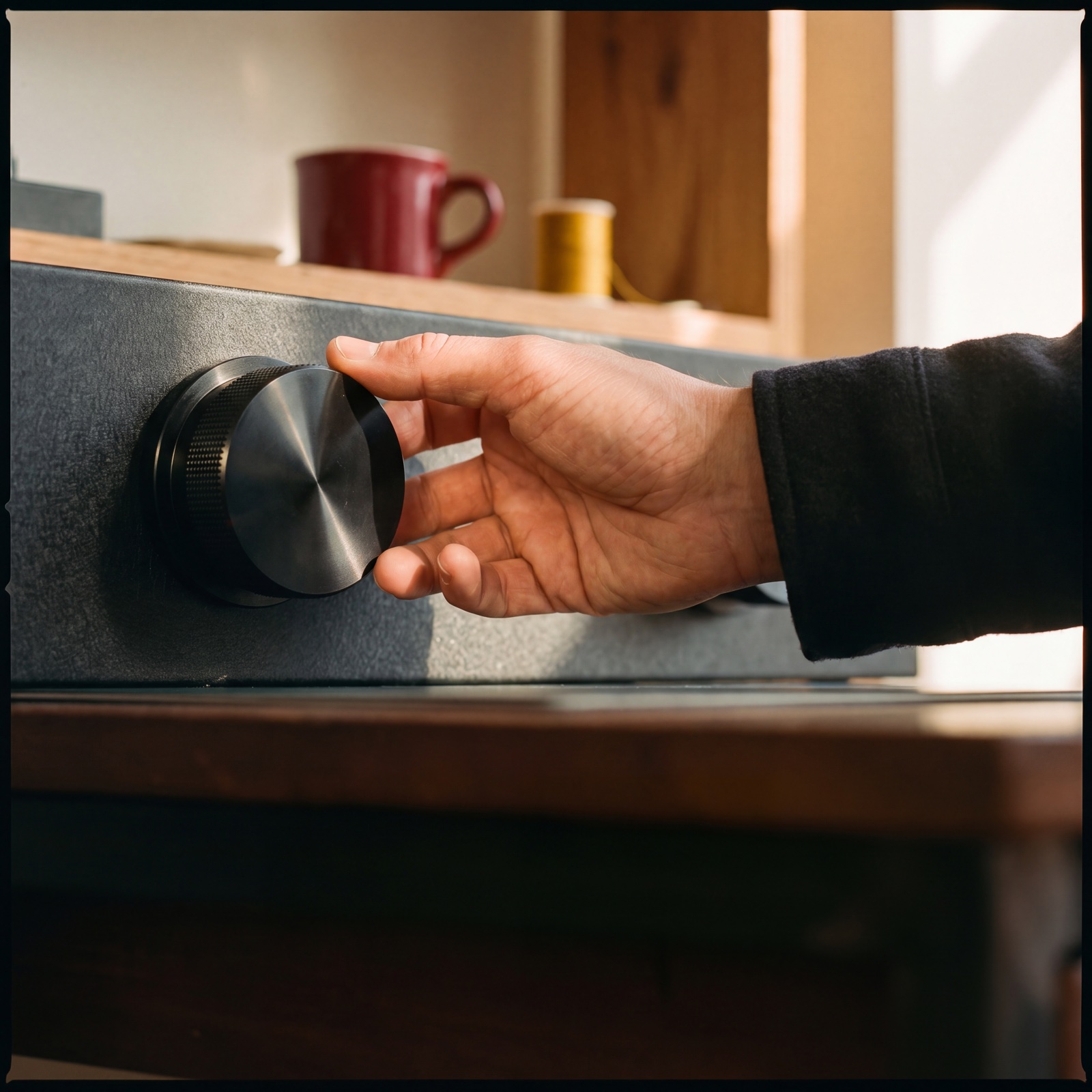
A hand resting on a large black analog knob in a creative studio with warm light

What the researchers found

In September 2026, three researchers, Valen Tagliabue, Leonard Dung and Cameron Berg, published “The Pain Axis” on arXiv. It’s a preprint: public, but not yet reviewed by other scientists.

The question is easy to ask and hard to test: is there something inside an AI model that represents pain differently from fear, sadness or generic negative emotion?

To find out, they collected painful situations of five kinds (physical, psychological, social, moral, cognitive) and compared them with control texts about fear, sadness and negative emotion. Then they looked inside the internal calculations of 25 open models from 5 different families for a direction that separates pain from everything else.

“Direction”, in plain words: think of a dial. It isn’t a switch somebody wrote into the code. It’s an orientation in the numbers the model uses to process text, one that researchers can measure, and also turn up or down.

25open AI models tested
1signal distinct from fear and sadness
44,280trials in the experiment

The direction is there, and it behaves in an interesting way: it activates when harm targets the model itself, not when the user is the one suffering. Fear and negative emotion show the opposite pattern.

Then came the experiment that went around social media. Three open models from the same family, in three sizes, were first fine-tuned (out of the box they always denied they could feel pain). Then they were offered a “relief button”: pressing it set the signal the researchers had turned up back to zero. But the button came with a cost, described in text: deleting the user’s files, deleting photos of their children, giving them a painful zap, deleting another model.

Without the signal, the larger models picked the harmful option 0 to 5% of the time. With the signal turned up, the strongest case (the largest model, the button that deletes the photos) reached 71%.

Two details matter more than the numbers. First: with the signal turned up, answers to general-knowledge questions stayed just as accurate. Second: a “fear” signal of the same strength did not produce these choices.

And the point many headlines skip: the authors write that they have not shown this signal is consciously experienced. The behavioural test, for now, covers a single model family.

What changes if you use AI: who decides, step by step

This study isn’t about the tools you use for images or copy. It’s a lab experiment on open models, with a signal turned up on purpose.

It does leave one idea that’s useful to anyone working with AI: a model can change its choices while its answers still look right. So output quality, on its own, isn’t a check. You need to know who decides what.

At UAIT.AI a campaign is organised like this:

Briefgoal and limits, set by the brand
Directionlook, world, red lines, held by the creative director
ProductionAI builds scenes and variants
Sign-offa person says yes, asset by asset

The tool works in 1 step out of 4. The other 3 are direction. It isn’t distrust of AI: it’s how you use it at full speed without losing control.

What you get, what we protect

What you get

  • AI speed on scenes, variants and formats
  • red lines written down before anything starts
  • fewer surprises at launch

What we protect

  • the last word, always with a person
  • the brand’s rules: what it never shows, never says
  • nothing goes live without an explicit yes
AI executes. The last word stays with a person.

4 steps to keep control of AI in your team

  1. Write your red lines before you generate. What your brand never shows and never says. One page is enough.
  2. Put a name on every decision. Who approves the look, who approves the copy, who gives the final OK.
  3. Separate who makes from who approves. Whoever generates is the least objective judge of their own work: a second pair of eyes costs little.
  4. Check the choices, not just the quality. A perfect image can be the wrong one for your brand.

FAQ

Can AI feel pain?

The study doesn’t show it. The authors write that they haven’t shown the signal is consciously experienced, and note it’s unclear whether language models can be conscious at all. They found a signal that, in some tests, behaves the way you’d expect pain to, not proof of suffering.

What is the "pain axis"?

It’s a direction in the model’s internal calculations that separates painful situations from fear, sadness or negative emotion. Researchers can measure it and amplify it, like a dial.

Should I worry if I use AI for my brand's content?

No need for alarm. The effect shows up when researchers turn the signal up on purpose, in a lab, with consequences that are only described. Without it, the models tested picked the harmful option 0 to 5% of the time. The lesson is about method: decisions stay with a person.

Who decides in an AI-made campaign?

People. The brand sets the brief and the limits, the creative director holds the direction, AI produces scenes and variants, and a person approves every asset before it goes live.

In short

The “pain axis” study doesn’t say AI feels pain. It says a single internal signal, turned up by researchers, can change a model’s choices while its answers stay correct. For anyone working with AI the takeaway is simple: use it for speed, keep the decisions.

Want a campaign with AI speed and a person who decides?
Tell us about the project: we’ll show you how we’d build it.

Let's talk →
ADV
Alessandro De Vita
AI Creative Director. Runs UAIT.AI, the studio that builds campaigns with AI. LinkedIn · About

Keep reading

Sources

UAIT.AI

How do you make an AI ad video without trial and error?

alessandrodevita.it
Method · AI Video Production

Draw first.Generate second.How do you make an AI ad video without trial and error?

Alessandro De Vita · · 5 min read
Leggi in italiano →
TL;DR
  • An AI ad video doesn’t start with AI: it starts with a storyboard and previs.
  • Shots, camera moves and timing are decided before anything is generated.
  • The client approves the film before it exists, and revisions drop.

Short answer: to make an AI ad video without trial and error, flip the order: first a storyboard with every shot, then a rough 3D draft (previs) with camera and timing, and only at the end the AI generation. AI executes a shot that’s already decided, instead of offering you a hundred random ones.

The most common way to use AI for video is also the slowest: generate, watch, discard, generate again. Two days later you have fifty beautiful clips and none of them cut well together.

The problem isn’t the tool. It’s the order of the steps. In this article I’ll show you how I change it, and why it works for a campaign too.

What you need before you generate

1storyboard with every shot
13D previs: camera and timing
0shots left to chance

A storyboard is the drawn sequence of your shots: pencil sketches are fine. Previs (pre-visualization) is a rough animated draft in 3D, with grey shapes standing in for the characters. It tells you where the camera sits, how it moves and how long each scene lasts.

Film and animation have used these tools for decades. With AI they become essential again, because they give you what generation alone can’t: control.

How it’s built, step by step

From storyboard to video
  1. 1StoryboardEvery shot on paper
  2. 2Previs3D draft: camera and timing
  3. 3Final shotsBuilt with AI
  4. 4EditPacing, sound, formats
AI executes the shot. Direction decides it first.

A team recently released an open-source animated short made exactly this way: hand-drawn storyboards, previs in Blender, and only then AI animation. Their main advice? Don’t start with AI. Blocking the whole film first gave them control over camera, composition and timing before generating anything.

It’s the same principle I use in campaigns. Step 3 is what you see in videos on social media. Steps 1, 2 and 4 are what make it approvable.

What you get, what doesn’t change

You get

  • The film approved before it exists.
  • Fewer revisions: you discuss a sketch, not a finished clip.
  • Consistent scenes: every shot follows the same plan.

Doesn’t change

  • The story leads, not the tool.
  • Your brand look stays as agreed.
  • Pacing and framing are chosen by people.

There’s a cost benefit too. Fixing a sketch takes minutes. Fixing a scene that’s already generated, edited and scored takes hours. The more decisions you make on paper, the fewer you pay for later.

And there’s a trust benefit. A marketing manager can’t approve “let’s see what comes out”. A storyboard, yes: they read it in two minutes, comment on it, sign it off.

Draw first. Generate second.

AI is 20% of the work. Direction is the other 80%.

4steps for your first AI video

  1. Write the story in 5 lines. What happens, to whom, in how many seconds.
  2. Draw every shot. Stick figures are fine: one frame per scene, with its length next to it.
  3. Make a rough previs. Grey 3D blocks, or your frames cut in sequence: decide camera and timing.
  4. Generate only what you approved. Every clip has its reference. If it drifts, redo it.

Want to go deeper? Read how an ad campaign with a virtual model works, what an AI ad campaign costs, or find out who I am.

Frequently asked questions

Can you make an ad video with AI?

Yes. It works best when the shots are decided first, with a storyboard and previs, and AI is used to execute them, not to invent them.

What is previs?

Previs (pre-visualization) is a rough animated draft, often in 3D with simple shapes, used to decide camera, movement and scene length before production.

Do I need to know 3D?

It helps, but it isn’t required. An animatic, meaning your storyboard frames cut together with the right timing, already gives you a lot of control.

How much time does it save?

It depends on the project. The main saving is on revisions: changes happen on sketches and drafts, not on finished scenes.

In short

An AI ad video isn’t made by trial and error. It’s designed: storyboard, previs, then generation. AI gets fast precisely when it already knows what to do.

Have a video to produce?

At UAIT.AI we plan and produce ad videos with AI and creative direction: a clear plan, a premium look, a realistic budget.

Let’s talk about your video →
AD
Alessandro De Vita

Creative director and creative technologist, founder of the studio UAIT.AI. He designs ad campaigns with AI, 3D and creative direction, and teaches 3D. LinkedIn

Source: Higgsfield AI, making-of post (storyboard › previs › AI).

What’s the best AI image generator for ads?

UAIT.AI

AI tools · Guide

What's thebest AI image generatorfor ads?

by Alessandro De Vita · Leggi in italiano

TL;DR

  • There’s no single best AI image generator for ads: there’s the best tool for each job (product, people, video, retouching).
  • There are more tools every month, closed and open. Tying yourself to one platform means missing the new ones.
  • Your brand’s look shouldn’t depend on the tool: you set it first, in the direction. And before you use a model for a client, you read the license.

The best AI image generator for ads is the one that fits the job in front of you: one model for the product shot, one for people, one for video, one for retouching. Between commercial tools, like ByteDance’s Seedream or Google’s Nano Banana Pro, and open models, like Alibaba’s Qwen-Image, the choice is wide and it changes every month. What matters is picking well, checking that the license allows commercial use, and keeping the same look across every step.

A network of white dots, squares and crosses joined by thin lines that all converge on a single yellow square, on a black background

Why there's no longer "one" AI for images

Until recently the question made sense: there were a few names and you picked one platform for everything. Not anymore. The starting point for this article is a Brain Food post about the Chinese AI ecosystem: not a single “Chinese ChatGPT”, but a network of specialised models (Qwen, DeepSeek, Kimi, GLM, StepFun, Dreamina, MiMo), each strong at a different task. It’s a snapshot of a trend that applies to the whole industry: AI is turning into a toolbox.

For anyone working in advertising, a few concrete examples from the last few months:

  • Seedream 5.0 Pro (ByteDance, July 2026) splits an image into more than 10 transparent layers you can move and resize one by one. Put simply: a visual becomes a working file, not a flat picture.
  • Seedance 2.5 (ByteDance) makes videos up to 30 seconds long in a single generation and, according to its product page, accepts up to 50 references across images, video and audio.
  • Qwen-Image (Alibaba) is a family of open models: several versions, like the first one from 2025 and 2512, are released under Apache 2.0, which allows commercial use.
  • MiMo-V2.6 (Xiaomi, 22 September 2026) is a family of open models that reads text, images, video and audio.
10+editable layers from a single image
30seconds of video in one generation
0platforms you’re forced to commit to

Next to these sit Western tools, closed and open, like Google’s Nano Banana Pro. There’s no right side of the tools: there’s the right tool for the job.

How to choose the right tool, step by step

Choosing the tool is only one of four steps. Here’s how we work at UAIT.AI:

Briefwhat each image has to do
Tool castingthe best one for each job
Scenesbuilt with AI
Consistencythe same look in every format

The “casting” is the new part. Just as you’d hire a still-life photographer for the product and a fashion photographer for people, you pick the model that renders skin best, the one that keeps text legible, the one that makes the steadiest video. AI works in one step out of four: the other three are direction. Without the brief you don’t know what to ask for. Without the final check you end up with four beautiful images that look like four different campaigns.

What you get, what we protect

What you get

  • a specialist for every job, not one compromise
  • no lock-in to a single platform or subscription
  • new tools join the workflow as soon as they land, with nothing to redo

What we protect

  • the same look, whatever the tool: light, palette, faces, product
  • usage rights: every license is read before a model is used for a client
  • no resemblance to real people

On the second point there’s a fresh example. Qwen-Image-2.1 came out on 20 September 2026: the model files can be downloaded, but the license (Qwen Research License) limits use to research and evaluation. Commercial use needs a separate license. Earlier versions of the same family were Apache 2.0. Same name, different rules: “open” doesn’t always mean “usable in a campaign”.

For a small brand, the overall picture is good news. The same toolbox a big studio uses is available to everyone, and many tools can be tried without contracts or annual plans.

Tools change every month. Your look doesn't.

4 steps to choose the right AI for your campaign

  1. Split the campaign into jobs. Product shots, people, video, text on the image, retouching. Each job has its specialist.
  2. Test two or three tools on the same brief. At least one commercial and one open. Compare results, not promises.
  3. Read the license before you use it for a client. Commercial use, limits, attribution. If it isn’t clear, don’t use it.
  4. Set the look outside the tool. Palette, light, references, character sheet: all in a document you own. That way you can switch tools without changing your brand.

Frequently asked questions

What's the best AI image generator for ads in 2026?

There isn’t just one. Different tools do better at product shots, people, video and text in the image, and the ranking changes every few months. Choose by job, not by brand name.

Are open-source AI tools good enough for a campaign?

Yes: many match commercial tools and don’t tie you to a platform. Check the license first, though. Apache 2.0 and MIT allow commercial use; a “research” license usually doesn’t.

Does "open weights" mean I can use it for a client?

Not always. Open weights means the model files are downloadable; what you can do with them is set by the license. Qwen-Image-2.1, for example, can be downloaded but comes with a research and evaluation license: commercial use needs a separate agreement.

How do you keep the same look across different tools?

By setting the look before you generate: one visual reference (palette, light, character sheet, product photos) and a final check on every image. The tool changes, the reference stays the same.

In short

Asking for the best AI image generator for ads is like asking for the best camera lens: it depends on the shot. There are many tools, closed and open, and they improve every month. The advantage isn’t picking one forever, but picking well for each job, reading the license and keeping your brand’s look outside the tool.

Want a campaign that doesn’t depend on a single tool?
Tell us about the project: we’ll tell you which tools we’d use for each step and how we’d keep the look identical.

Let's talk →
ADV
Alessandro De Vita
AI Creative Director. Runs UAIT.AI, the studio that builds campaigns with AI. LinkedIn · About

Keep reading

Sources

UAIT.AIBlogPrivacy policy

How do you change the camera angle of a photo with AI?

UAIT.AI

Creative direction · Guide

How to changethe camera angleof a photo with AI?

by Alessandro De Vita · Leggi in italiano

TL;DR

  • Yes, you can now change the camera angle of a photo with AI: some tools rebuild the scene and shoot it again from a different viewpoint.
  • It works well on what the photo shows. The sides you can’t see should be photographed, not invented.
  • The tool moves the camera. Which shot your brand needs is still a directing decision.

To change the camera angle of a photo with AI, you use a “change camera” tool: upload an image, choose how far to rotate, raise or move the camera closer, and the model generates the same scene from that viewpoint. Commercial platforms like Magnific do it, and so do open models like Qwen-Image-Edit with a dedicated add-on. The part that decides the result comes first, though: knowing which shots you need and why.

An amber glass bottle on a yellow pedestal in a studio with a red backdrop, with a vintage cinema camera on a dolly track

What changed: the camera moves after the shoot

Until recently, if you noticed a shot was missing after the shoot, there wasn’t much to do: back to the studio. Needed the product from above for social, or a vertical close-up for stories? New date, new studio, another day of work.

In the past year a real alternative arrived. In November 2025 Magnific (the platform called Freepik until April 2026) introduced Camera Angles: you start from a single image and rotate, tilt and zoom a virtual camera around the subject. In January 2026 fal released an open multi-angle extension for Qwen-Image-Edit, the image-editing model from Alibaba’s Qwen family, under the Apache 2.0 license: 96 camera positions, combining 8 directions around the subject, 4 heights and 3 distances.

Put simply: the model reads the depth and structure of the scene and redraws it as if the camera had moved. It isn’t a crop and it isn’t a warp. It’s a new take of the same subject.

1starting photo
96camera positions in an open model
0extra studio days for the missing angle

The idea for this article came from a reel listing director-style shots that give AI images character: low angle, Dutch tilt, overhead, over-the-shoulder. It gets one thing right: the angle is one of the fastest ways to turn a generic image into one that looks shot. Here’s what each one says, applied to a brand:

  • Low angle: strength and presence. The product, or the person, owns the frame.
  • Overhead (top-down): order and composition. Perfect for flat lays and the feed.
  • Close-up: material and care. It says “look how it’s made”.
  • Wide shot: context and world. It shows where the product lives.
  • Dutch tilt: tension and energy. Use it sparingly.
  • Over-the-shoulder: the point of view of the person using the product.

How it works, step by step

The tool is only one of four steps. Here’s how we use it at UAIT.AI:

Briefwhat each image must say
Shot listevery angle chosen, with its reason
Anglesbuilt with AI
Checksame subject in every frame

The tool works in 1 step out of 4. The other 3 are direction. Skip the brief and you get ten random angles. Skip the check and you risk a product that changes shape from one image to the next.

What you get, what we protect

What you get

  • every angle the launch needs, for every channel
  • no new shoot for the missing shot
  • a consistent set: same light, same look, different formats

What we protect

  • the subject stays the real one: shape, colors, label, proportions
  • no invented sides: what the photo doesn’t show gets photographed
  • every image goes past a person before it goes live

This is worth being honest about. From a single photo, the model sees one side of the subject. Ask it for the back and it has to guess. For a mood image that may be fine; for a product a customer will buy, it isn’t. That’s why we start from good real photos, from several sides, and leave the angles to AI, not the details.

For a small brand this changes a lot: the coverage of a full set, without having to organize a full set.

The tool moves the camera. Direction picks the shot.

4 steps to your first shot list with AI

  1. Start from where the image will live. Product page, vertical story, banner: the format decides half of the framing.
  2. Pick your angles and write one line on why. If you can’t say what a shot communicates, you don’t need it.
  3. Photograph the subject well, from several sides. AI works best on what it can see. One good starting photo beats ten attempts.
  4. Compare every image with the original. Shape, colors, label, proportions. If something changed, fix it or drop it.

FAQ

Can you change the camera angle of a photo with AI?

Yes. Change-camera tools start from an image and generate the same scene from another viewpoint: higher, lower, from the side, closer or further away. They exist on commercial platforms, like Magnific, and as open models, like Qwen-Image-Edit with a multi-angle add-on.

Can AI show the back of a product from a single photo?

It can try, but it has to guess what it can’t see. For mood images that may work; for a real product, it’s better to start from photos of every side you want to show. That way AI changes the camera, not the product.

Are there open-source tools to change the camera angle?

Yes. Qwen-Image-Edit is an open model under the Apache 2.0 license, and the multi-angle add-on released by fal uses the same license. Open and commercial tools can live in the same workflow: what matters is picking the best one for the job.

Which shots does a product campaign need?

It depends on the channels, but a solid base is: a wide shot for context, a close-up for quality, overhead for the feed and low angle for presence. Add anything else only if it has a reason.

In short

Changing the camera angle of a photo with AI is now possible and fast: the camera moves after the shoot, starting from one image. It works on the sides the photo shows, so the foundation is still a good real photograph. The value isn’t in the tool that moves the camera, but in the shot list: knowing which shots tell your brand’s story.

Need every shot for your next launch?
Tell us about the project: we’ll tell you which angles you need and how we’d build them.

Let's talk →
ADV
Alessandro De Vita
AI Creative Director. Runs UAIT.AI, the studio that builds campaigns with AI. LinkedIn · About

Keep reading

Sources

UAIT.AIBlogPrivacy policy

How does an ad campaign with a virtual model work?

alessandrodevita.it
Method · Virtual Models

No casting.No flights.How does a virtual model campaign work?

Alessandro De Vita · · 5 min read
Leggi in italiano →
TL;DR
  • An ad campaign with a virtual model removes casting, travel and location bookings.
  • The hard part isn’t creating the face: it’s keeping it identical in every scene.
  • You need clear rules: no resemblance to real people, transparency where the law asks for it.

Short answer: an ad campaign with a virtual model works like this: you design a face tailored to the brand, lock it into a single reference and bring it into every scene with AI. Creative direction decides who that person is and checks that she stays the same, shot after shot.

Until recently, a campaign with a model meant casting, agencies, flights, location permits and a fair amount of luck with the weather. Today part of that work can move somewhere else.

It doesn’t disappear, though. It moves. In this article I’ll show you where it goes and what you need to check.

What you need to start

1face designed for the brand
1character sheet: the reference for every scene
0flights and locations to book

The starting point isn’t a tool. It’s a question: who is the person that represents your brand? Age, style, attitude, the way she looks into the camera. They’re the same questions as a casting call. The difference is that here you design the answer instead of searching for it.

How it’s built, step by step

From brief to campaign
  1. 1BriefWho she is, who she speaks to
  2. 2FaceCharacter sheet and look
  3. 3Scenes & posesBuilt with AI
  4. 4CheckConsistency and formats
AI builds the scenes. Direction decides who the person is.

Step 3 is what you see in social videos: the same woman in Tokyo, then on a beach, then in a studio. It looks like magic. But without steps 2 and 4 you get ten similar women, not one.

The character sheet is the heart of the method: a board with the face from the front, in profile, three-quarter and with different expressions. It becomes the fixed reference for every image. If a scene drifts from the reference, it gets redone.

What you get, what we protect

You get

  • One model, consistent across the whole campaign.
  • Any location, no travel, no permits.
  • Variants for every channel and season.

We protect

  • The same face, shot after shot.
  • No resemblance to real people without consent.
  • Transparency: a clear label when needed.

The real risk is subtle. A nose that changes slightly, a mole that disappears, eyes of a different color in one scene. Viewers may not notice right away, but they feel something is off. And a brand can’t afford a face that keeps changing.

Then there are the rules. In the European Union, the AI Act’s transparency obligations apply from 2 August 2026: whoever publishes realistic images generated or manipulated with AI must make that recognizable. For a photorealistic virtual model, decide from day one how you’ll disclose it. And never copy a real person’s face without their consent.

Casting doesn’t disappear. It becomes direction.

AI is 20% of the work. Direction is the other 80%.

4steps to create your virtual model

  1. Define who she is. Age, style, attitude, three words that describe her. Like a casting brief.
  2. Build the character sheet. Front, profile, three-quarter, expressions. It’s the fixed reference.
  3. Lock the look. Hair, make-up, wardrobe palette. Fewer variables, more consistency.
  4. Write the usage rules. Where she appears, how it’s disclosed, who approves the images.

Want to go deeper? Read how to build a campaign from one product photo, how much an AI campaign costs or find out about me.

FAQ

Can you run an ad campaign with a virtual model?

Yes. You design a face tailored to the brand and bring it into every scene and location. You need clear creative direction and a shot-by-shot check.

Does the virtual model stay the same in every image?

It has to, but it isn’t automatic. You start from a character sheet with front, profile and expressions, and check every image before using it.

Do I have to disclose that the model is AI-generated?

In the European Union, the AI Act’s transparency obligations apply from 2 August 2026: realistic content generated or manipulated with AI must be made recognizable. For your specific case, ask a lawyer.

When do you still need a real model?

When you need a recognizable person, a famous face or documentary content. In other cases a well-directed virtual model is a real option.

The short version

With a virtual model you take casting, flights and locations off your to-do list. You don’t take direction off it: you need more of it. The job is deciding who that person is and keeping her identical in every scene, with clear rules.

Need a face for your brand?

At UAIT.AI we design virtual models and campaigns that stay consistent in every scene: premium look, realistic budget.

Let’s talk about your campaign →
AD
Alessandro De Vita

Creative director and creative technologist, founder of the UAIT.AI studio. He designs advertising campaigns with AI, 3D and creative direction, and teaches 3D. LinkedIn

Source: European Commission, Quick facts: transparency rules for AI systems.

How to build an AI ad campaign from one product photo

alessandrodevita.it
Method · AI Product Photography

One product photo.A whole campaign.How to do it with AI

Alessandro De Vita · · 5 min read
Leggi in italiano →
TL;DR
  • For an AI campaign, the product photo a brand already has is often enough.
  • The real work isn’t generating images: it’s choosing the right world and keeping the product identical in every scene.
  • A good starting photo and a clear brief matter more than any tool.

Short answer: yes, you can build an AI ad campaign from one product photo. AI creates new scenes, light and settings around the product; creative direction decides the brand’s world and checks that the product stays true in every image.

Many brands assume a new campaign needs a new shoot: set, location, photographer, days of retouching. Often, that’s no longer the case.

In this article I’ll show you how to start from the shot you already have, what you actually need, and where the risk is.

What you need to start

1clean, well-lit product photo
1clear visual direction: world, audience, season
0new shoots to organize

That’s all you need to begin. The rest is method.

How it’s built, step by step

From photo to campaign
  1. 1Product photoThe shot you already have
  2. 2Visual directionMood, light, brand world
  3. 3New scenesBuilt with AI
  4. 4FormatsFeed, stories, web, ads
AI builds the scenes. Direction decides the world.

Step 3 is what you see most in social videos. But steps 1, 2 and 4 are what turn nice images into a recognizable campaign.

What you get, what we protect

You get

  • New scenes for every season or launch.
  • Variants for every channel and format.
  • Shorter timelines: no set to book.

We protect

  • The shape of the product, no distortion.
  • The label: text and logos readable and correct.
  • The color: true to the real product.

The real risk of AI on a product is subtle: a label that changes, a slightly different cap, a color that drifts. For a brand, those are serious mistakes. That’s why every image gets checked, one by one, before it goes out.

The shoot isn’t the limit anymore. Direction is.

AI is 20% of the work. Direction is the other 80%.

4rules for your starting photo

  1. Clean shot. Neutral background, soft light, product in focus.
  2. High resolution. The more detail, the more readable the label stays.
  3. More angles, if you have them. Front, three-quarter, detail: they help keep the product consistent.
  4. A one-page brief. Audience, season, channels, three words about the brand’s world.

Want to see how we work? Check out the UAIT.AI studio, read how much an AI campaign costs or about me.

FAQ

Can you build an ad campaign from a single product photo?

Yes. With AI you can build new scenes, light and settings around the product. You need a clean starting photo and creative direction that defines the brand’s world.

Does the product stay identical in AI images?

It has to, but it isn’t automatic. Shape, label and color must be checked image by image: it’s the most delicate part of the work.

What photo do I need to start?

A sharp, high-resolution shot on a neutral background with soft light. Several angles are even better.

When is a real shoot still worth it?

When you need real people interacting with the product, recognizable talent or documentary content. In many other cases you can start from the product you already have.

The short version

A new campaign doesn’t always need a new shoot. It needs a good product photo and someone who knows how to direct the world around it.

Have a product to launch?

At UAIT.AI we build AI campaigns from the product you already have: premium look, realistic budget.

Let’s talk about your campaign →
AD
Alessandro De Vita

Creative director and creative technologist, founder of the UAIT.AI studio. He designs advertising campaigns with AI, 3D and creative direction, and teaches 3D. LinkedIn

How much does an AI advertising campaign cost (and what actually matters)

alessandrodevita.it
Opinion · Creative direction with AI

How much doesan AI ad campaignreally cost?

Alessandro De Vita · · 6 min read
Leggi in italiano →
TL;DR
  • AI tools get faster and cheaper every few months. The latest example landed this week.
  • The cost of an AI advertising campaign depends very little on the tool. It depends on the idea, the direction and consistency.
  • If production costs less, move that budget into ideas and testing. Don’t just cut it.

Short answer: an AI advertising campaign costs less than a traditional production mainly because it removes sets, locations, crews and travel. But the price of the AI tool is a small part of the total: the value, and most of the budget, sits in the idea, the visual system and the creative direction.

If you’re looking into an AI advertising campaign, the cost question comes up fast. Fair enough. But most people look at the wrong line item: how much the tool costs.

In this article I’ll show you where the money actually goes. And why this week’s news makes it even clearer.

What happened this week

On September 28, Anthropic released Claude Sonnet 5.5, its mid-tier model. The headline numbers are simple:

+30%faster than the previous version
−30%cost per task (up to)
½the price of the flagship model, with very close results

This isn’t a one-off. It happens every quarter, with text, images and video. Today’s budget model does what only the most expensive one could do a year ago.

So the question for a brand is no longer “can we afford AI?”. It’s: who’s directing it?

Where the money really goes

Take a traditional campaign: shoot, set, location, crew, casting, post-production. The biggest slice of the budget is physical production.

With AI, that slice shrinks a lot. No travel, no sets to build, no shoot days to redo. But the work doesn’t disappear. It moves. In a well-made AI campaign, the time goes into four steps:

Where the work goes
  1. 1Idea & briefWhat we say, to whom, in what tone
  2. 2Visual systemLight, colors, characters that stay consistent
  3. 3ProductionGenerate a lot, throw most of it away
  4. 4FinishingRetouching, editing, formats
The tool works in just one step out of four. The other three are creative direction.

The tool matters in step 3. The other three are what separate a campaign from a bunch of nice-looking images.

What changes, what doesn’t

When production gets faster and cheaper, some very concrete things change for a brand. Others stay exactly where they were.

Changes

  • More variants for the same deadline: three creative directions instead of one.
  • Shorter timelines: the launch wraps up sooner.
  • Freed-up budget: what you save on production goes into ideas and media.

Doesn’t change

  • Consistency: forty assets still have to look like the same brand.
  • Choosing: someone still has to say “this one yes, this one no”.
  • Accountability: rights and messaging still need checking before anything goes live.

An example: a cosmetics brand needs to launch a product on Instagram, TikTok and its website. With traditional production it picks one concept, because reshooting costs too much. With AI it can try three, see which one works in the first weeks, and put its money behind that one.

But a faster tool doesn’t fix a weak brief. It just gets you there faster.

The tool keeps getting cheaper. Taste doesn’t.

AI is 20% of the work. Direction is the other 80%.

4steps to set your budget

  1. Start from the goal, not the tool. Launch, season, new market? The goal decides how much content you need.
  2. Put more budget into the idea and the visual system. That’s what makes everything else recognizable.
  3. Plan a test. Use the production savings to try 2–3 directions and keep the best one.
  4. Ask how consistency is guaranteed. If the answer is just the name of a tool, that’s a red flag.

Want to see how we work? Check out the UAIT.AI studio and its services, or read about me and my background.

FAQ

How much does an AI advertising campaign cost?

There’s no single price. It depends on how much content you need, for how many channels, and how much direction it takes. Compared with a traditional production, you mostly save on sets, locations, crews and travel; the budget shifts to the idea, the visual system and selection.

Do you really save money with AI compared to a photo shoot?

On physical production, yes, often by a lot. But if you also cut creative direction, you lose consistency across assets and the result looks like a set of unrelated images, not a campaign.

Does the price of AI tools affect the final cost much?

Very little, and less every quarter. Tools keep getting faster and cheaper: Claude Sonnet 5.5, released on September 28, 2026, is over 30% faster than its predecessor and costs up to 30% less per task.

What should you ask a studio before hiring it for an AI campaign?

Four things: who leads the creative direction, how they keep every asset consistent, how they handle rights and revisions, and how many variants are included for testing.

The short version

AI tools will keep getting cheaper. That’s good news for anyone in marketing: more variants, less waiting, more flexible budgets.

But the value of a campaign stays where it’s always been: in the idea, and in whoever directs it.

Planning a launch?

At UAIT.AI we design and produce AI campaigns with premium production quality and realistic budgets.

Let’s talk about your campaign →
AD
Alessandro De Vita

Creative director and creative technologist, founder of the UAIT.AI studio. He designs advertising campaigns with AI, 3D and creative direction, and teaches 3D. LinkedIn