AI characters · Guide
How to useAI charactervariations?
TL;DR
- AI character variations are many versions of the same character. They help you choose, not pile up images.
- The final character is often in no single version: you build it from pieces of different images (the face, the pose, the clothes).
- The method in 4 steps: idea, versions, compare, combine. Then the character stays the same in every scene.
Use AI character variations to compare, not to pick the prettiest one. Start from a clear idea, ask the AI for versions that change one thing at a time (pose, light, expression, clothes), see what works in each one and give the best pieces back to the AI as example images for the next version.
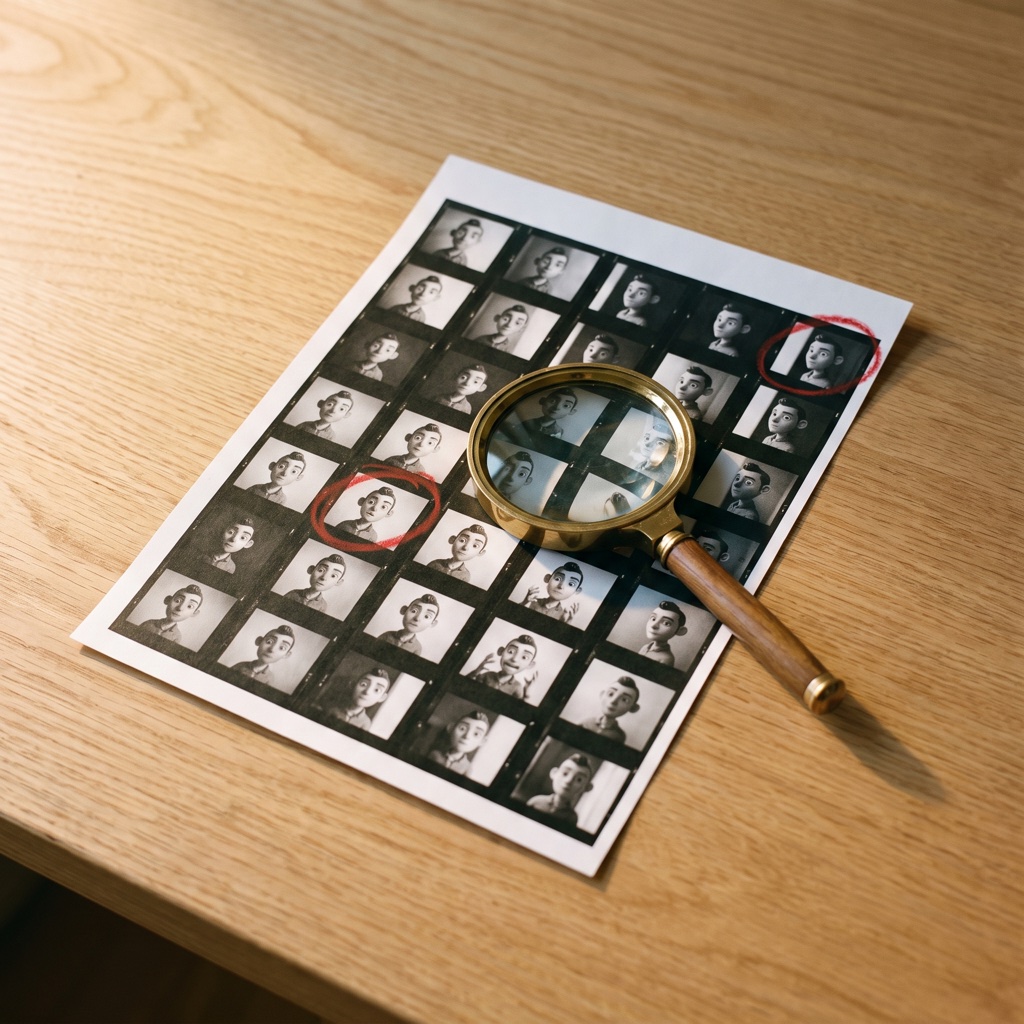
Why the first image is almost always a draft
Anyone who has tried to create a character with AI knows the moment: a nice image comes out, you fall for it and you stop there. The problem is that the AI made that choice. You just said yes.
Variations are there to avoid exactly that. Before you decide, they show you many possible roads for the same idea. Today they cost almost nothing. Midjourney has two buttons, Vary Subtle and Vary Strong, to change an image a little or a lot. Google’s Nano Banana Pro takes up to 14 example images in one request and keeps up to 5 people recognizable. With ComfyUI, a free and open program, you get different versions by changing the “seed”, the number each generation starts from.
The tool matters less than how you use it. Versions are only worth something if you look at them knowing what you’re after.
How it works, step by step
The method we use for characters and virtual models (models created with AI) has four steps. AI works in only one of them.
1. Idea. Before generating, write down who the character is, their attitude, who they need to speak to and what world they live in. Without an idea the versions go in every direction and you can’t compare them anymore.
2. Versions. This is the AI step. Change one thing at a time: pose, expression, light, clothes, proportions. Leave the rest alone, so you can see what actually changes the result.
3. Compare. Put the versions side by side and look at what works in each one. One may have the right body shape, another the look in the eyes, a third the best clothes. This is where you find the two or three details that make the character recognizable even from a distance.
4. Combine. Instead of starting from scratch, take the best pieces and give them back to the AI as example images for the next version. This is where a tool that accepts many images at once earns its place. The final character is often in no single version: you put it together.
Once you’ve decided what the character looks like, variations get a new job. They take the same character into different poses, scenes and situations, always recognizable.
What you get, what we protect
Used this way, variations give you a character you chose on purpose, two or three clear details you can explain to anyone working on the campaign, and a solid base to keep it the same in every format.
What you get: a character you chose · a few clear details that make it recognizable · a base ready for every scene.
What we protect: no resemblance to real people · the original idea · the same character from one image to the next.
The most common mistake is generating a hundred images and picking on instinct. That turns variations into a mess. Fewer is better, each with one change, looked at calmly.
4 steps to your first character built from variations
- Write the idea in three lines: who they are, what mood, where they live. Keep it in front of you while you generate.
- Make versions with one change each. Pose first, then expression, then light. Change everything at once and you won’t know what worked.
- Mark the pieces, not the images. Print or line up the versions and circle the details you like: a shoulder, a look, a collar.
- Give the marked pieces back to the AI. Use the chosen versions as example images for the next generation, until the character stops changing.
Frequently asked questions
How many variations do you need to create an AI character?
There’s no right number. You need enough to see what happens when you change one thing at a time. If you keep generating without comparing, the number doesn’t help.
What's the difference between variations and character consistency?
Variations come first: they help you try things and decide. Consistency comes after: once you’ve decided what the character looks like, every image has to show the same character in a different moment.
Which tools should I use for AI character variations?
Almost any tool that changes an image a little or a lot and accepts example images works: Midjourney with Vary Subtle and Vary Strong, Nano Banana Pro with up to 14 images, ComfyUI if you prefer a free and open program. The method matters more than the tool.
Can I use a real person's face as a reference?
For a brand character, better not. If the character looks like a real person you need their consent and clear rules. An invented face, built from your own versions, is safer and truly yours.
In short
AI character variations are for deciding. Start from an idea, ask for many versions changing one thing at a time, see what works in each one and give the best pieces back to the AI. The first nice image is a draft: you put the character together.
Need a character or a virtual model for your brand?
At UAIT.AI we create characters that stay the same across every campaign, from idea to final format.
Keep reading
- How does an ad campaign with a virtual model work?
- How do you make realistic AI portraits? Free prompt inside
- About
Sources
- Google, Nano Banana Pro available globally (20 November 2025): used for “up to 14 reference images and up to 5 people kept recognizable”
- Midjourney, variations documentation: used for Vary Subtle and Vary Strong
- ComfyUI on GitHub: used as the open alternative for generating variations